Want headless learning experiences? Meet XCL.
We made headless LMS a reality by removing the LMS entirely.
Headless? What does that even mean?
Headless means the technology runs behind the scenes while you design what learners see, wherever they already are. Some LMS providers now say they offer headless, but underneath it’s still an LMS.
| Headless LMS | XCL |
|---|---|
| Difficult to implement and use | Set up in minutes, no programming needed |
| Content stuck in iframes and pop-ups | Works anywhere, accessible from the start |
| Expensive to scale with per-user pricing | Unlimited learners, no per-seat pricing |
| Built on outdated standards like SCORM | Built on xAPI, with SCORM supported |
| Unable to deliver actionable data | Rich, participant-level data in real time |
XCL removes the LMS entirely, so there is nothing to work around.
How does XCL work as a headless solution?
-
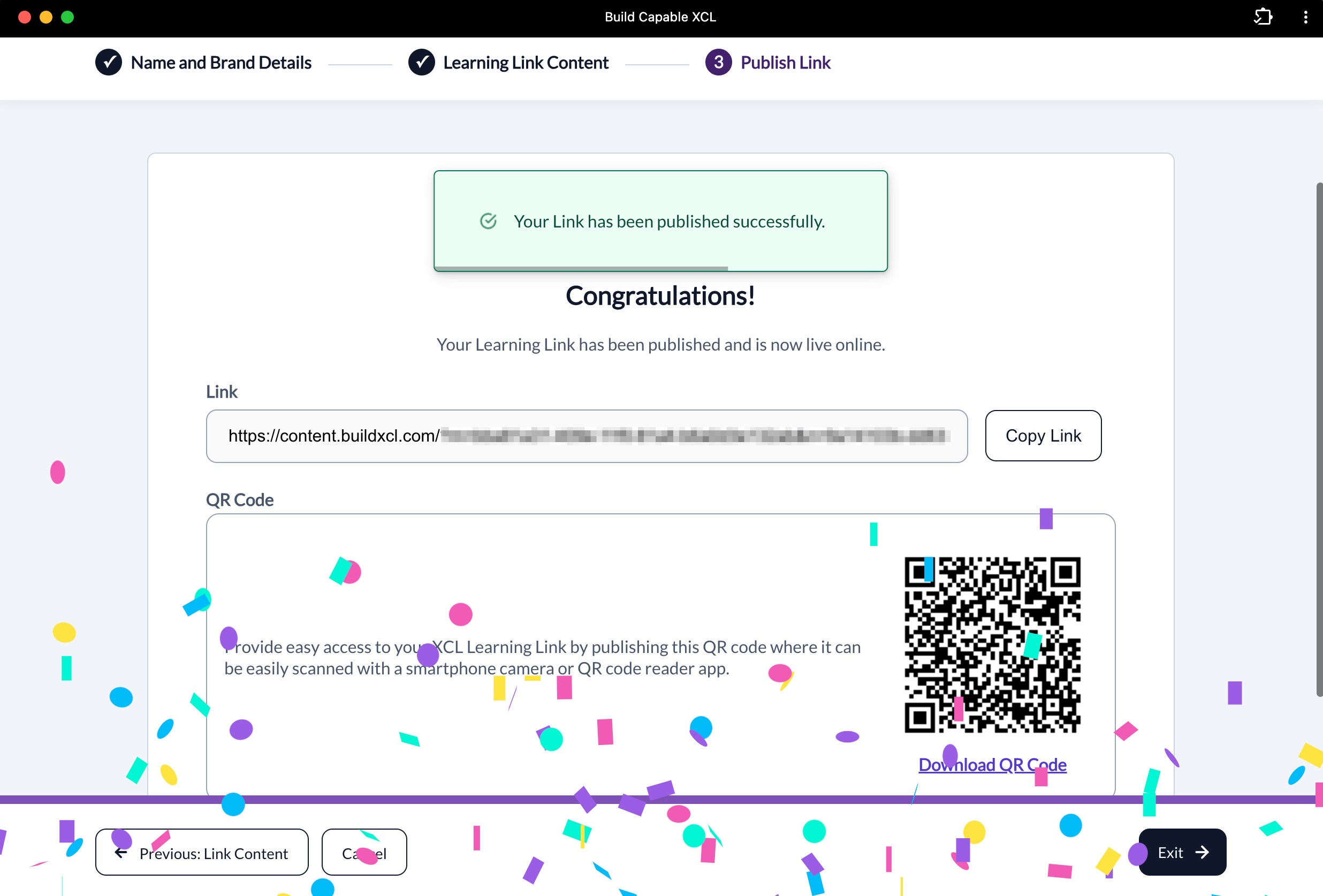
Create a Learning Link
Turn your content into a Learning Link.
-
Share it anywhere
Put it wherever your people already are, online or in person.
-
Capture data in real time
Know how people interact with your content as it happens.
Learning that meets people where they are
-
In their tools
Embed training in Salesforce, Zendesk, Slack, Teams, and more.
-
On any device
Learning Links work on phones, tablets, and computers, with the same tracking everywhere.
-
In physical spaces
Post XCL QR codes on equipment, job sites, and posters for learning on the spot.
-
Branded portals
Build portals that match your brand, not an LMS.
-
VR and AR
Deliver immersive experiences that are still tracked.

Rich data from every interaction
Behind the scenes, XCL captures meaningful data and performance insights from every Learning Link.
-
Built on xAPI
Collect rich, participant-level data, not just completions. xAPI records stored in a Learning Record Store (LRS) are immutable, so you get a reliable audit trail for compliance.
-
Online and in person
Track detailed data on interactions with videos, guides, and elearning, plus in-person training, observations, and assessments with sign-in sheets and QR codes.
-
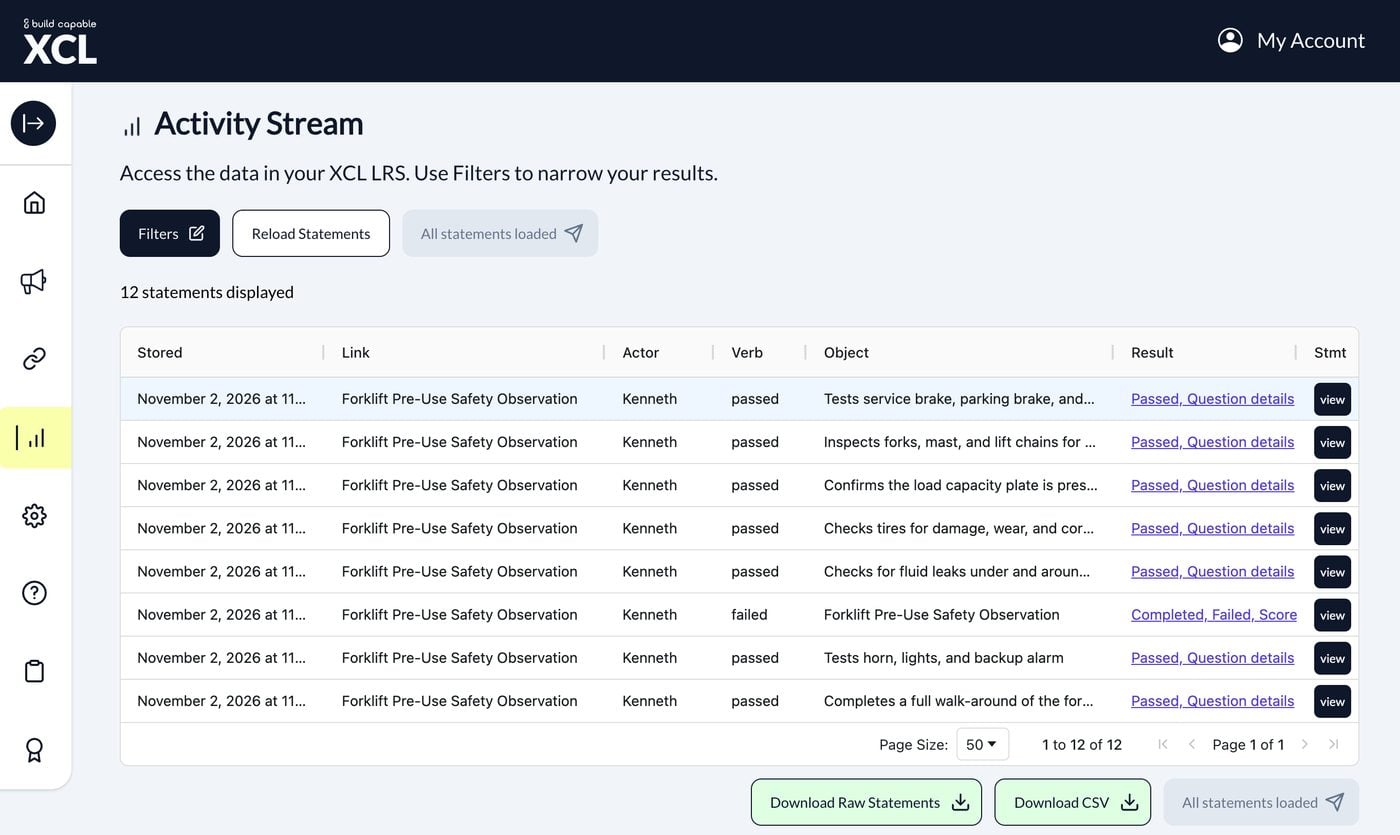
Dashboards and Activity Stream
Build dashboards around the insights you need. Filter every interaction in the Activity Stream and download it as CSV.
-
Your data, your choice
Use the LRS included with XCL, or send data to your own.
Headless learning, now in your AI assistant
The XCL MCP server connects your AI assistant directly to XCL. Create, brand, publish, and manage Learning Links right from the conversation.
Works with
- ChatGPT and Codex
- Claude
- Google Gemini
- GitHub Copilot
- Microsoft Copilot
- OpenAI Responses API
What you can do from your AI assistant
-
Create and publish Learning Links
Turn content into a trackable Learning Link. Preview it, publish when you’re ready, and get the link and QR code right in the conversation.
-
Create and manage Brand Templates
Set up branding, sign-in, and data capture, then reuse it across Learning Links.
-
Create and upload content
Create learning experiences with your AI assistant and send them straight to XCL to track. Or upload and link to content you already have.
Coming soon to MCP
Data access
Soon, enterprise customers on E-XCL will be able to ask their AI assistant about learner activity and trends.
Your team stays in charge. Your AI assistant asks before it publishes or deletes anything, and you can unpublish at any time.
Explore an example: Go From Prompt to Data with Claude and XCL
Frequently asked questions
Do I need an LMS to use XCL?
No. XCL lets you deliver and track learning without an LMS. If you already use an LMS, LXP, or CMS that allows links to external content, you can add Learning Links there too.
What data does XCL capture?
XCL is built on xAPI, so you get participant-level data for each interaction. The Data Translator turns actions in videos, PDFs, SCORM, and other content into xAPI automatically. Data goes to the LRS included with XCL or to your own.
What can I track?
Almost any learning, online or in person. Track digital content like xAPI, cmi5, SCORM, video, PDFs, Office files, and web links. Track real-world activities too, like in-person training, observations, and assessments, using XCL sign-in sheets and QR codes.
How do learners sign in?
You decide with a Brand Template. Ask for a name, email, or ID number, or make the Learning Link anonymous. E-XCL adds more ways to identify learners, including single sign-on (SSO) and Smart Link parameters.
How is XCL priced?
XCL is a subscription with no seats to buy. Build and Build Pro include unlimited learners, and Build comes with a 14-day free trial. E-XCL plans are built around your organization. Explore XCL plans
Curious how XCL will work for you?
We are here to help. Learn how organizations around the world are bypassing the LMS entirely.